

 By
By So it started with a pipe bursting in my basement. Not the most glamorous origin story for a smart home journey, but stay with me.
We had to gut half the walls anyway, and my contractor — this guy named Marcus who I’d worked with before — just casually said, “you know, while everything’s open, this would be the perfect time to run the wiring for a proper home automation system.”
I’d been vaguely curious about Crestron home automation for a couple of years at that point, mostly from seeing it in hotel lobbies and thinking it looked impossibly smooth. So I said sure. And that’s how I ended up spending way more money than I planned on a system I barely understood.
I want to be clear upfront: I’m not a tech person. I can set up a Hue bulb and I’ve used Google Home, but I’m not someone who codes or programs things. I’m a person who wanted their lights to turn off automatically when they left a room without having to think about it. That’s genuinely it. So when the Crestron home automation conversation started getting complicated very fast, I was not prepared.
Why I Chose Crestron Over Everything Else
Marcus brought in a certified Crestron dealer — because turns out you can’t just buy this stuff off Amazon and set it up yourself. That was mistake one. I assumed I could do some of it myself and save some money. Nope. Crestron home automation is not a DIY situation, at least not at the level I was looking at. Everything runs through a dealer, everything gets professionally programmed, and that programming cost is separate from the hardware cost. A surprise I was not thrilled about.
The dealer came in for an initial consult and started asking questions I genuinely didn’t have answers to. Do you want the system to be room-based or scene-based? Motorized shades integrated? HVAC zoning? I kept saying “I don’t know, what do you recommend?” — which I now realize was not the right approach. Because when you say that, they recommend everything. And everything adds up.
I had Philips Hue bulbs in my last place. SmartThings before that. A brief and not great experience with a Wink hub before that company went sideways. They’re all fine for the price. But they also feel like they’re held together with digital duct tape. Things disconnect for no reason. Automations break when an app updates. You’re troubleshooting at 11pm because your porch light won’t respond.
That’s what I wanted to leave behind. Whether Crestron home automation was the right answer — I’ll get to that.
How the Installation Actually Went
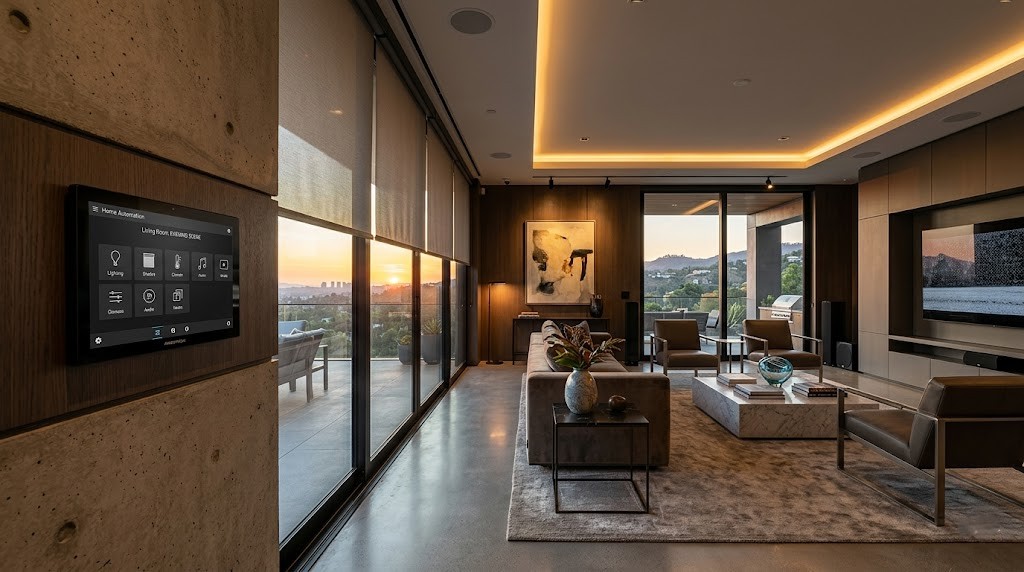
The hardware phase was honestly kind of exciting. Watching them mount the touchpanels and run the Crestron processor into an equipment rack in my utility room felt like something from a movie. There’s something about seeing real commercial-grade equipment going into your house that makes you feel like you made the right call, even if your bank account disagrees.
Then came the programming phase, and this is where I made mistake two.
The programmer sat with me for about three hours going over what I wanted every button, every touchpanel, every automated event to do. And I kept second-guessing myself. Do I want bedroom lights to ramp to 30% when motion is detected at 2am, or 10%? How long should the “good morning” scene take to run? I didn’t know. I made decisions too quickly just to get through the meeting, and I regretted almost all of them within the first week.
I should have lived in the house for a month first and thought about my actual patterns before trying to automate anything. Instead I was programming habits I thought I had rather than habits I actually had. The whole point of Crestron home automation is that it works around your life — but you have to know what your life looks like first.
The first night with the system running, I turned off the lights and went to bed and about twenty minutes later every single light in the house came on because a “goodnight scene” hadn’t been set up correctly and the system still thought it was in daytime mode. Standing in my very bright living room at midnight wondering what I’d done. It wasn’t hard to fix — one call to the programmer the next day — but in that moment it wasn’t funny.
Two weeks in, my daughter couldn’t figure out how to turn on the TV. She’s twelve, she knows every piece of tech in the house, but the Crestron touchpanel had a specific sequence for switching to the cable box and she kept getting stuck. She ended up unplugging things manually. Honestly fair. The learning curve for guests and family members is real and nobody warned me about it.
Recommended Products for This Setup
Disclosure: This article may contain affiliate links. If you buy through these links, I may earn a small commission at no extra cost to you.
| Product Category | Recommended Product | Why It’s Useful | CTA |
|---|---|---|---|
| Smart Home Controller | Crestron CP4 Processor | Central brain for automation system | Check Price |
| Smart Lighting | Lutron Caseta Smart Dimmer | Reliable smart lighting control | Check on Amazon |
| Smart Shades | Serena Smart Shades | Works great with luxury automation setups | View Details |
| Smart Thermostat | Ecobee Smart Thermostat Premium | Advanced HVAC automation | Check Latest Price |
| Smart Speaker | Sonos One | Multi-room audio integration | Buy on Amazon |
| Smart Door Lock | Yale Assure Lock 2 | Secure smart entry system | See Current Deal |
| Smart Display | Touchpanel | Full home control interface | Learn More |
| Network Setup | Ubiquiti UniFi Router | Stable smart home networking | Check Availability |
Six Weeks In — When It Started Making Sense
After about six weeks, I stopped noticing the system the way you stop noticing something that’s just working. That’s when I actually started appreciating what Crestron home automation does that cheaper systems don’t.
The reliability is genuinely different. Not once in eight months has something disconnected for no reason, an automation broken after an app update, or anything required me to troubleshoot at 11pm. With consumer smart home systems, that stuff happened regularly. I used to dread app updates on SmartThings because there was maybe a 20% chance something would stop working afterward. With Crestron home automation, app updates are irrelevant — the system doesn’t depend on cloud servers the way consumer products do.
The processor runs locally. This part confused me at first because I kept asking “but what if Crestron’s servers go down?” and the dealer kept explaining that the system runs locally — the processor in my utility room is doing all the work, not some server farm somewhere. I didn’t fully understand it until I was traveling and our internet went down at home and my wife texted saying everything still worked. Lights still automated, HVAC still ran on schedule. That was the moment it clicked.
The touchpanels are just nice to use. There’s no lag. You press a button and the thing happens. Not 800 milliseconds later. Immediately. If you’ve used consumer smart home stuff for a while you forget this isn’t how it always has to be.
The Mistake I’m Still Annoyed About
When we were speccing the system, I said I didn’t want motorized shades because I thought it was unnecessary and expensive. It is expensive. But watching the system automatically adjust lighting temperature and brightness throughout the day while doing nothing about the sunlight blasting through my west-facing windows in the afternoon kind of defeats the purpose.
I’m probably going to add the shades eventually. Which means more programming cost and more hardware cost. Something I could have avoided if I’d thought it through properly at the start.
Mistake three. Decided too fast, paid for it later.
The Honest Cost Conversation
Around month three I sat down and did the math on what everything cost versus what I could’ve done with a well-configured Home Assistant setup on a Raspberry Pi. The number difference is significant. Meaningfully significant.
A patient, technically capable person could probably get to 70% of this functionality for 15-20% of the cost with open-source tools.
The other 30% is reliability, build quality, programming expertise, and a support relationship with a dealer who knows your system. Whether that gap is worth the price difference is completely personal and I’m not here to tell you what to do with your money.
What I will say: I have zero desire to mess with it. I don’t spend mental energy on the Crestron home automation system. It works and I forget about it. For me personally, that has a value I didn’t know how to quantify before I had it.
The One Thing That Still Bugs Me
The app.
The Crestron home automation app is functional but it’s not pretty. I came from the Google Home app which, whatever its faults, looks nice. The Crestron app looks like it was designed for facility managers — which, to be fair, is mostly who Crestron was originally built for. They’ve improved it but it still feels utilitarian in a way that feels slightly off given what everything else cost.
Minor complaint. But it’s mine.
I’ve also noticed that when people come over and see the touchpanel, the first question is almost always “wait, is this Crestron?” Which tells me the people who know, know. There’s a certain satisfaction in that, even though I acknowledge it’s a slightly embarrassing thing to feel satisfaction about.
Questions People Keep Asking Me
Is Crestron home automation actually worth it for a regular house? Depends what you mean by worth it. Compared to doing nothing — yes, having your home work around your habits is genuinely quality-of-life changing. Compared to a Lutron Caseta system or a well-configured Google setup — only if reliability and deep customization matter more to you than price. For a lot of people they don’t, and that’s completely fine.
Can you add to it over time? Yes, and I’m planning to. But every addition involves programming, which means calling your dealer and paying for their time. It’s not like adding a Hue bulb where you just plug it in. Worth knowing before you start.
Did it increase your home’s value? I genuinely don’t know. My realtor said it probably helps with a certain type of buyer but could deter buyers who don’t want to deal with a proprietary system. I thought that was an honest answer. The right framing for me: I did this for myself while I live here, not as an investment.
What would you do differently? Have a longer planning conversation before the programmer came over. Map out my actual daily routine, figure out what genuinely annoyed me about my old house, and build automation around those specific things rather than trying to automate everything. The Crestron home automation system is only as smart as the instructions you give it — and I gave it hasty instructions.
What about the dealer relationship — is that annoying? Sometimes. When I want to change something small I can’t just do it myself. I have to email my dealer, schedule time, pay for programming. That friction is real. But it also means everything is done correctly, which is why nothing breaks. Trade-off.
Eight Months Later — Honest Verdict
I don’t regret it. But I went in naive and got surprised by cost, complexity, and learning curve in ways that were avoidable.
Crestron home automation is a serious system that rewards serious planning. If I’d known that from the start I would have approached the whole thing differently — slower initial consult, clearer sense of what I actually wanted to automate, shades included from day one, and a much longer conversation about programming costs before signing anything.
One thing I’d tell anyone considering this: the initial programming session is not the time to figure out what you want. That session should be you telling the programmer exactly what you want, room by room, scene by scene, with specifics. “I want the living room lights at 40% when we watch TV and the HVAC to drop two degrees at the same time” — that kind of specific. Vague answers get vague automations and vague automations don’t actually make your life easier.
The pipe burst, the open walls, Marcus suggesting this — it all felt like an opportunity. And maybe it was. I just wish I’d slowed down before saying yes to everything.
If you’re looking at Crestron home automation seriously: talk to more than one dealer. Ask specific questions about programming costs and what happens when you want to make changes later. Think about your daily patterns before you try to automate them. The Crestron home automation system will do exactly what you tell it to do — the work is in figuring out what you actually want it to do.
And maybe wait to see if a pipe bursts first. At least then the walls are already open.
You Might Also Like
- Gaming PC Under $600: Honest 6-Month Review & Build Guide
- Raspberry Pi Home Automation: What I Learned After 6 Months
- Best Home Automation Light Switches for Beginners (2026)
- Beginner’s Guide to Mini RC Drift Cars (Real Experience After 3 Years)
- Home Automation Switches for Beginners (Honest 2026 Guide)
- Savant Home Automation Review: My Shocking Real Experience After 2 Months