

 By
By So it started with one switch. That’s always how it starts, right?
I was standing in my living room at 9pm, too lazy to walk across the room to hit the light, thinking — there has to be a better way. My phone was already in my hand. My TV was already connected to everything. Why was I still physically walking to a wall switch like it was 1987?
One switch turned into fourteen. Fourteen turned into a full weekend project that my wife still brings up when she wants to win an argument. There were trips to the electrical panel at midnight. There was a circuit I thought I killed. There was a moment where I sat on the kitchen floor surrounded by packaging and seriously asked myself what I was doing with my life.
But I figured it out. And I made basically every mistake you can make along the way — which means you don’t have to.
This is everything I know about home automation switches, written the way I wish someone had explained it to me before I started.
What a Home Automation Switch Actually Is
Let me back up for a second because I assumed I knew this and I didn’t, not fully.
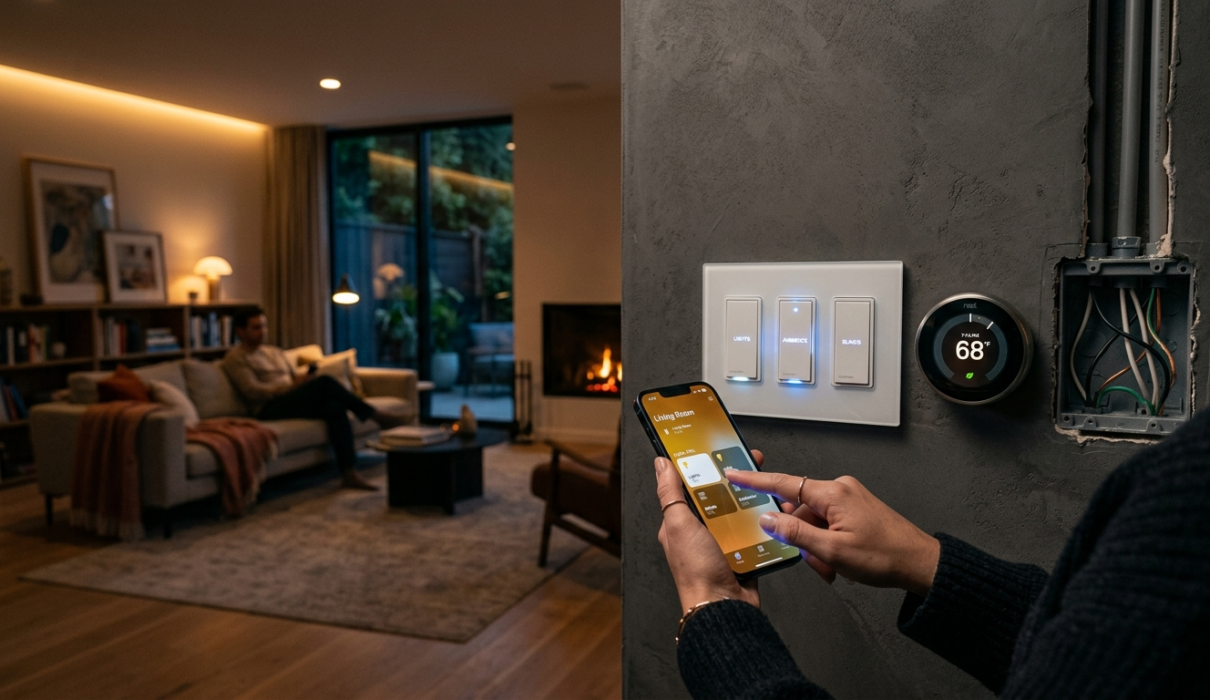
A home automation switch replaces your regular wall switch. Same spot, same wall plate, totally swappable — but now you can control it from your phone, from a voice assistant, on a schedule, based on a sensor, or all of the above at once. It controls the circuit itself. Which means any bulb works, any lamp, any ceiling fan or chandelier or whatever you’ve got wired to that switch.
This is actually a big deal.
The reason I went this route instead of smart bulbs is compatibility. I had ceiling fixtures that used LED panels — not bulb sockets. Smart bulbs don’t work there. Home automation switches do. Problem solved in a way smart bulbs couldn’t.
Home automation switches come in a few types. Wi-Fi switches connect directly to your router — no extra hardware. Z-Wave and Zigbee switches use separate mesh networks and need a hub. And then there are newer Thread/Matter switches, the open standard that’s trying to get everyone to play nice. I think Matter eventually wins, but we’re not fully there yet.
Why Switches Beat Smart Bulbs
I went back and forth on this for two weeks before committing. I already had some Hue bulbs in lamps. Why not just do bulbs everywhere?
Here’s what changed my mind.
Smart bulbs require the physical switch to always be on. If someone walks up and hits the switch — a guest, a kid, your partner who doesn’t share your enthusiasm for home automation — the bulb loses power and goes offline. Then you have to go turn the switch back on before your automations work again. It’s annoying. It creates friction. And friction kills smart home adoption faster than anything else.
Home automation switches don’t have this problem. The switch is always the switch. Tap it manually like a normal person, or control it with your phone or voice. Both work at the same time without fighting each other.
Also: smart bulbs are expensive per socket. Six-socket fixture means six smart bulbs. One home automation switch covers the whole fixture. The math works out fast.
The Compatibility Thing Nobody Really Explains
This is the part that bit me hard.
Most guides say “just pick the most popular option.” That’s lazy advice. The popular choice works for most people. It didn’t work for me on the first go, and it might not work for you either depending on what you actually need.
Three things to check before you buy anything:
Neutral wire. This is the one that gets people. Older homes sometimes don’t have a neutral wire in the switch box. A lot of home automation switches require one. Some don’t. Check your wall before you order. I didn’t do this. Ordered four switches, got them home, opened the wall, no neutral. Returned three of them, paid return shipping, lost a week. Don’t be me.
Your ecosystem. Deep in Apple? HomeKit compatibility matters. Google Home person? Verify that. Alexa household? Check. Don’t assume. Verify.
Hub or no hub. Z-Wave and Zigbee home automation switches need a hub — SmartThings, Hubitat, or Home Assistant. Wi-Fi switches don’t. Hubless is simpler upfront but more cloud-dependent. Worth knowing before you commit.
Brands I’ve Actually Used
I’m not doing a ranked list because it changes based on what you need. Here’s what I’ve actually used and what I think.
Lutron Caseta — the one I recommend to most people without hesitation. Not cheap, the hub is an extra purchase, but it works every time without drama. Lutron has been doing lighting control since before smartphones existed. They actually know what they’re doing. Setup was maybe 15 minutes per switch once I got the hang of it. Reliability is genuinely underrated in this space.
Leviton Decora Smart — solid mid-range. Wi-Fi, no hub needed, works with Alexa, Google, HomeKit. I have a handful in rooms where I wasn’t willing to spend Lutron money. They work fine. The app is not pretty. Functional, not pretty. I got used to it.
Kasa by TP-Link — the budget pick. Two of these installed, they’ve been fine, which is damning with faint praise but accurate. They work. They’re not exciting. If you want to test the concept before committing real money, start here.
Inovelli — the brand I wish I’d known about earlier. Z-Wave or Zigbee options, local control, RGB notification ring on the switch face (sounds gimmicky, actually useful for things like “blink red when the laundry is done”). I’ve got two in the office and I like them a lot. The community around Inovelli on Reddit is also really helpful — people who have solved every weird edge case.
One warning across all brands: the documentation is often genuinely terrible. Budget extra time to figure out what the manual is trying to say. YouTube is your friend here.
Gear You’ll Want
Disclosure: This article may contain affiliate links. If you buy through these links, I may earn a small commission at no extra cost to you.
| Product | Best For | Check Price |
|---|---|---|
| Lutron Caseta Smart Switch | Most reliable premium smart switch | Check on Amazon |
| Leviton Decora Smart | Mid-range Wi-Fi smart switch | View Price |
| Kasa Smart Switch | Budget smart home setup | Best Deal |
| Inovelli Smart Switch | Advanced customization | Buy Here |
| SmartThings Hub | Zigbee & Z-Wave automation | Latest Price |
| Voltage Tester | Safe switch installation | Check Amazon |
| Wire Stripper Tool | DIY wiring setup | View Deal |
Installing Your First Switch Without Losing Your Mind
The installation is not that hard. But I’d be lying if I said the first one wasn’t intimidating.
Here’s what actually happens: turn off the breaker for that circuit. Verify it’s off with a voltage tester — do not skip this, I am not kidding. Unscrew the wall plate, pull the old switch out, take a photo of the wiring before you touch anything. That photo saves you later.
Follow the diagram that comes with the new home automation switch, connect the wires, push it back into the box, put the new plate on, flip the breaker back on.
First time: probably 30-45 minutes because you’re being careful and second-guessing yourself. That’s fine. Third time: maybe 15 minutes. Tenth time: you’re basically doing it on autopilot.
The software setup afterward is usually easier than the hardware. Download the app, add the device, name it, put it in a room, add it to your voice assistant. Where it gets complicated is automations — “turn off at 11pm,” “turn on when motion is detected.” That’s where the whole thing stops feeling like a toy and starts feeling like your house is actually smart.
Don’t try to automate everything at once. Set up one or two, live with them for a week, see what’s actually useful versus what just seemed cool in theory. I have 22 automations running right now. Maybe 14 of them I actually notice. The other 8 run in the background and I forget they exist. Which is actually the goal — things that work without you thinking about them.
Mistakes I Made — The Full List
The neutral wire thing — already covered, but I’ll add: even if your box has a neutral, make sure you can actually identify it correctly. The white wire is usually neutral in standard US wiring, but not always. Verify. Seriously.
Buying everything at once. I got excited, ordered 14 home automation switches in one go, then realized partway through I wanted a different brand for the three-way switches in my hallway. Ended up with mismatched hardware and a return headache. Start with three or four. Make sure you like the ecosystem. Then buy more.
Ignoring the load type. Some switches are rated for LED only, some for incandescent, some handle fans and some don’t and will actually buzz if you try to run a fan through them. This sounds like fine print. It matters. I had a dimmer buzzing like a hornet for a week before I figured out why.
Automations that annoy other people in your house. My wife walked into the bedroom one night, the automation triggered, lights came on at full brightness at 10pm. She was in bed. I was in the other room. We had a conversation. I adjusted the automation. Moral: run your automations by the other humans in your house before you assume they’ll love it.
Forgetting about three-way switches. A three-way switch is when two switches control the same light — top and bottom of stairs, for example. Smart three-way setups require either a smart switch plus a companion switch, or a smart switch plus a dummy switch. Not interchangeable with regular single-pole. If you have three-way switches, look specifically for home automation switches that support three-way before you buy. This tripped me up badly and cost me two returns.
Questions I Actually Get Asked
Do I need an electrician? Depends on your comfort level. If you’ve never touched home wiring, honestly — maybe have an electrician do the first one so you can watch. But if you’re reasonably handy and not afraid to turn off a breaker, this is within DIY range. The key is the voltage tester. Verify the power is off before you touch anything, every time, no exceptions. I’ve done 14 of these with zero formal electrical training. I was careful and did my research first.
Are home automation switches worth the money? Mid-range switches cost 3-5x what a regular switch costs. That sounds like a lot. But after six months of living with the system, I stopped thinking about the cost. Lights that turn off automatically, that I can control from bed, that respond to voice commands when my hands are full of grocery bags — that’s just become normal now. Normal in a good way. Start cheap if you’re not sure. Two or three switches in the rooms you use most. Upgrade later if you catch the bug.
Wi-Fi or Z-Wave? Wi-Fi is easier to start — no hub, works immediately, uses your existing network. Z-Wave and Zigbee create their own mesh network, more reliable, doesn’t clog your Wi-Fi, but you need a hub and more setup. For most people starting out: Wi-Fi is fine. If you end up with 20+ devices or want serious local control, look at Hubitat or Home Assistant and go Z-Wave or Zigbee. I run a mix and I’m slowly migrating toward more local control.
What if my family won’t use the app? The whole point of home automation switches — unlike smart bulbs — is that the physical switch still works exactly like a normal switch. You don’t need the app. You don’t need voice commands. You can ignore all of it and just tap the switch. The smart features are additive, not required. My mom visited last month and never once touched her phone. Lights worked fine the whole time. That’s how it should be.
Where to Actually Start
Pick one room. The room you spend the most time in. Figure out how many switches are in it and whether they’re single-pole or three-way. Check if you have a neutral wire — pop the cover plate and look, it takes two minutes. Pick a brand that fits your ecosystem and your wiring situation and order enough home automation switches for just that room.
Install them over a weekend. Set up the app. Set up one automation — just one. “Turn off at midnight” or “turn on at sunset.” Live with it for a couple weeks.
If you like it, keep going. If you realize you want a different ecosystem or brand, you’ve only committed to one room and the switching costs are low. If you decide the whole thing isn’t for you — also fine, you’ve learned something without blowing $300.
The rabbit hole on home automation switches is deep. I’m still in it, fourteen switches and twenty-two automations later. But the difference between day one — sitting on the kitchen floor surrounded by packaging, questioning my life choices — and now — a house that responds the way I want it to — is a lot of small steps and a lot of learned lessons.
Most of which I’ve just handed to you. Use them.
You Might Also Like
- Best AI Tools for Teachers in 2026 (Actually Useful in Real Classrooms)
- Best AI Avatar Tools for Multilingual Voiceovers (Real Review 2026)
- Affordable AI Recruiting Tools for Small Teams (Honest Review 2026)
- Beginner’s Guide to Mini RC Drift Cars (Real Experience After 3 Years)
- Home Automation Switches for Beginners (Honest 2026 Guide)